
Everything you copied, one shortcut away.
Tuck is a clipboard manager for Mac that stays out of sight. It remembers the text, files, images and screenshots you copy, and shows them only when you press the shortcut. Type a few letters, press Return, and it's pasted.
-
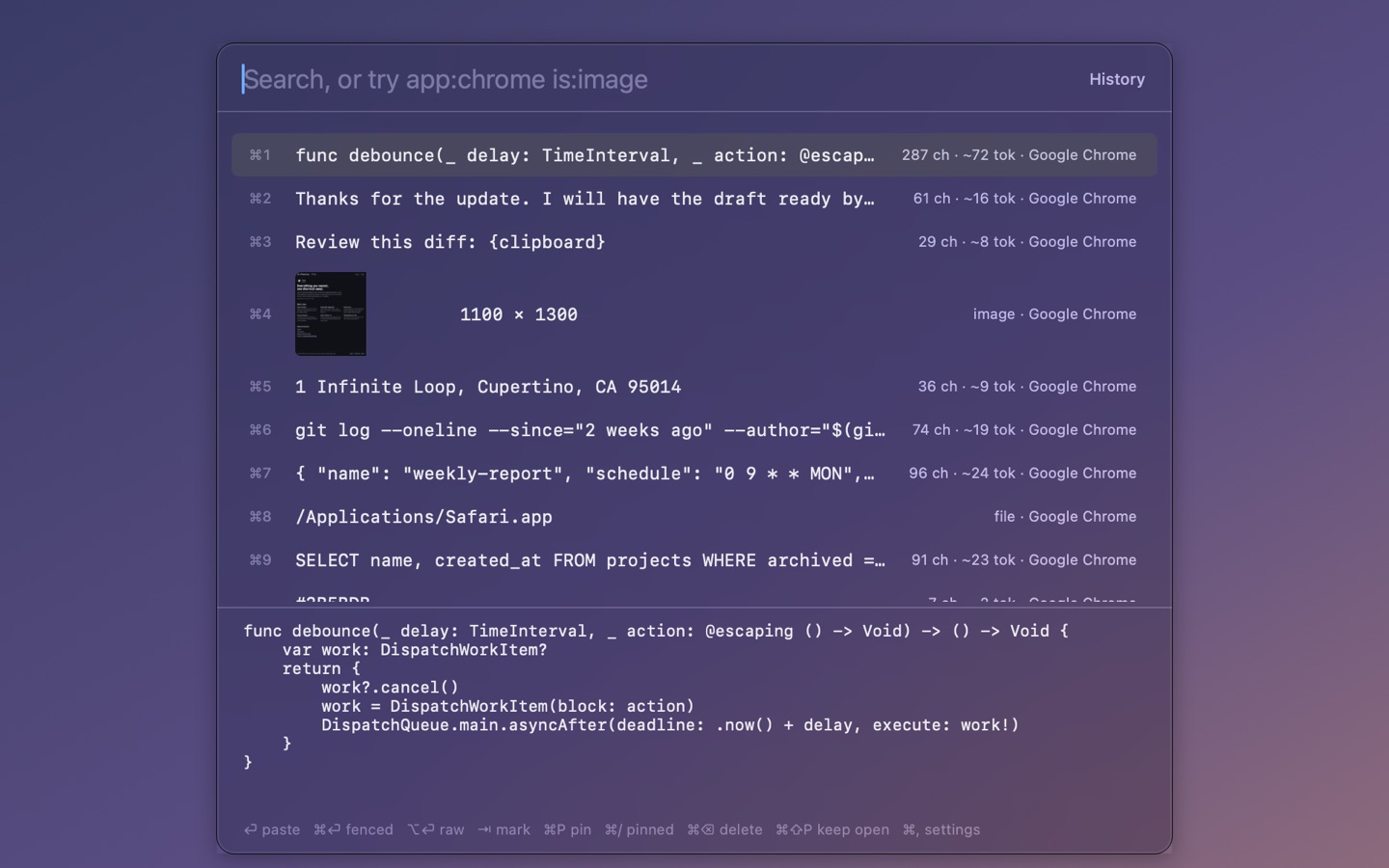
Your history, one shortcut away
Press Cmd+Shift+V and everything you copied is there: text, code, files and images, newest first. The pane under the list shows the selected clip in full. Press Return and it's pasted into the app you were in, then Tuck gets out of the way.
-
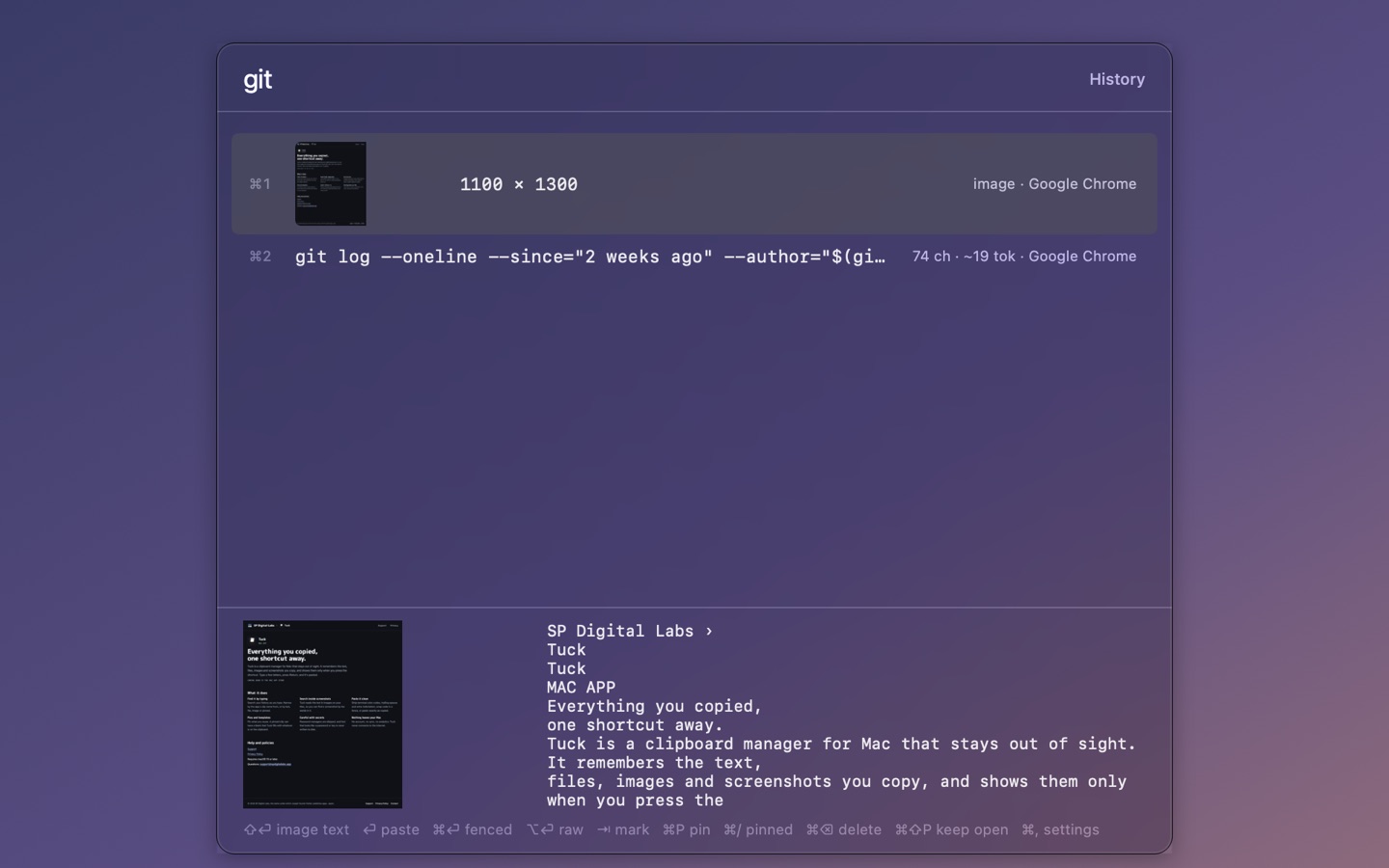
Find it by typing, even inside a screenshot
Type a few letters and the list narrows as you go. Tuck reads the text in images on your Mac, so a screenshot turns up when you type a word that appears in it. Narrow further by the app a clip came from, or by kind: text, file, image or pinned.
-
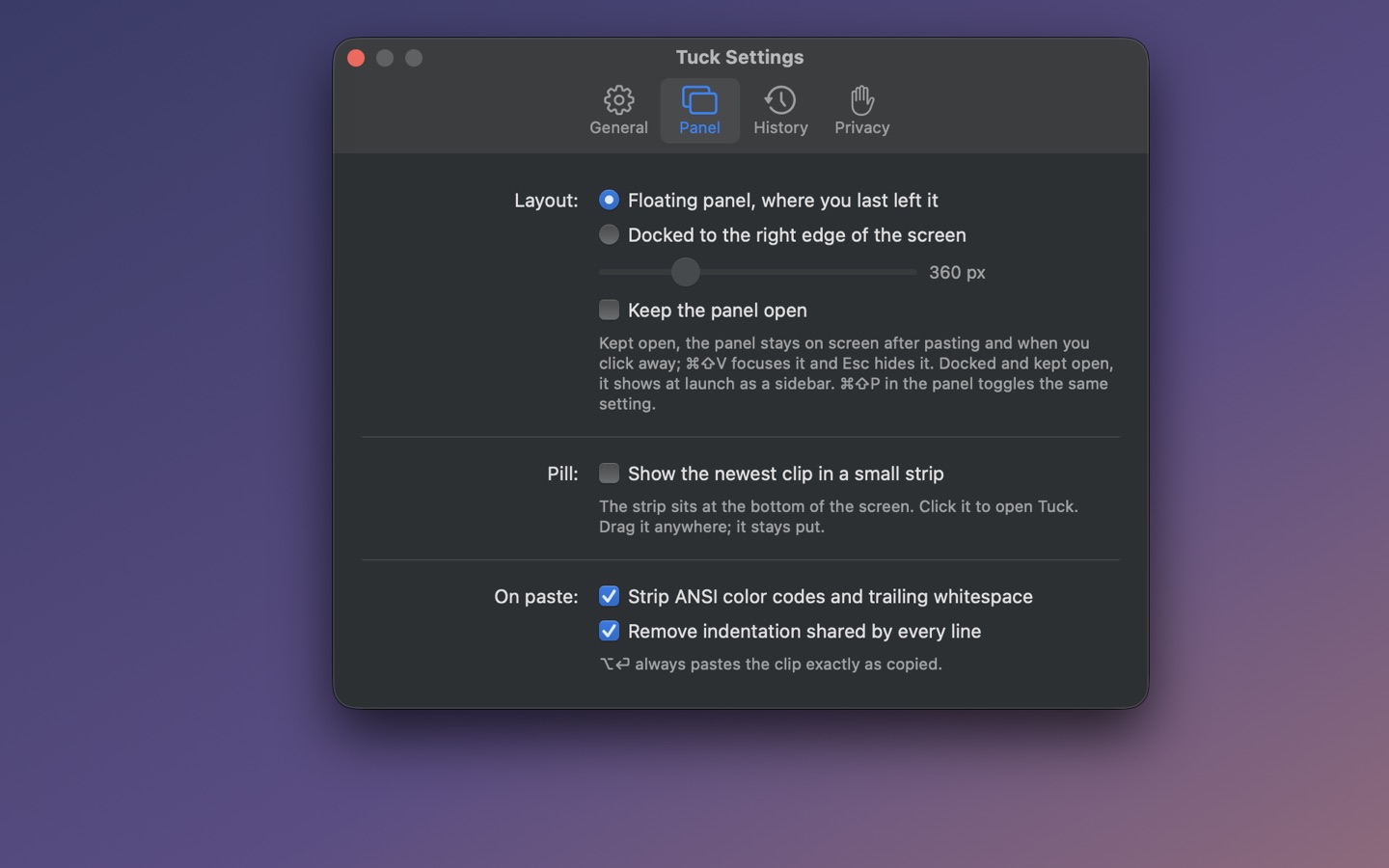
Set it up your way
Keep Tuck as a floating panel that appears where you left it, or dock it to the edge of the screen as a sidebar. Add a small strip that shows the newest clip, choose your own shortcut, and decide how pasted text is cleaned up.
More
Paste it clean
Strip terminal color codes, trailing spaces and extra indentation, wrap code in a fence, or paste exactly as copied.
Pins and templates
Pin what you reuse. A pinned clip can have a blank that Tuck fills with whatever is on the clipboard.
Private by design
Password managers are skipped, and the keys and tokens Tuck recognizes are never written to disk. No account, no sync, and nothing leaves your Mac.
Help and policies
- Support
- Privacy Policy
- Requires macOS 13 or later.
- Questions: support [at] spdigitallabs [dot] app